Why Coffee Grinders Break Easily: Common Causes Explained
For many Americans, the ritual of grinding fresh coffee beans is a cherished part of their morning routine. The rich aroma and superior taste of freshly ground coffee elevate the experience beyond measure. So, it's particularly frustrating when that beloved coffee grinder, a staple in countless kitchens from coast to coast, suddenly falters or breaks down. The immediate answer to why coffee grinders often break easily boils down to a combination of inherent design limitations, misuse, and neglect. Understanding these factors is key to choosing a durable model and extending the life of your current appliance.
The Core Culprits: Design Flaws and Material Misuse
From bustling New York apartments to spacious Texas homes, the kitchen appliance market in the United States offers a vast array of coffee grinders, but not all are created equal. The expectation of durability often clashes with the reality of lower-cost manufacturing and fundamental design choices.
Blade Grinders vs. Burr Grinders: A Fundamental Difference
The most significant factor in a grinder's longevity often starts with its design:
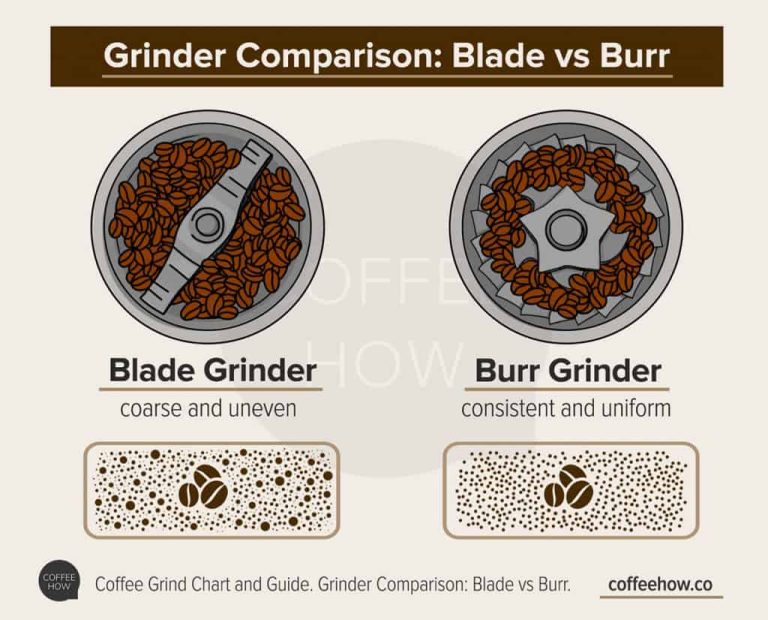
- Blade Grinders: These are the entry-level option, often found in US homes for their affordability and compact size. They don't grind coffee; they chop it using a spinning blade similar to a propeller. This method creates an inconsistent particle size, leading to uneven extraction and a poorer cup of coffee. More importantly for durability, the high-speed blades and motor are under immense stress, especially when trying to achieve a fine grind. This constant impact and friction contribute significantly to motor wear and tear, and the blades themselves can dull or become misaligned over time.
- Burr Grinders: Favored by coffee enthusiasts across the nation, burr grinders use two abrasive surfaces (burrs) to crush and grind coffee beans to a consistent, adjustable size. These come in two main types:
- Conical burrs: Two cone-shaped burrs.
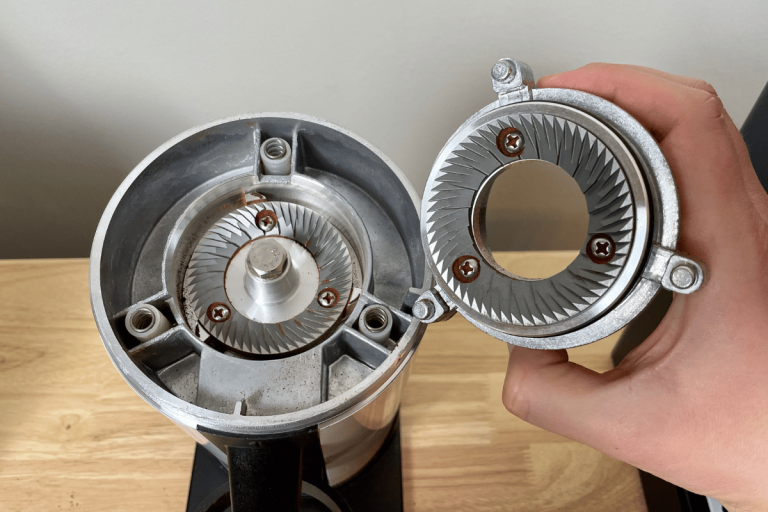
- Flat burrs: Two doughnut-shaped burrs.
Burr grinders are generally more robust because they are designed for precision grinding, distributing the load more evenly and reducing the shock experienced by the motor compared to blade grinders. However, even burr grinders can have vulnerabilities.
Cheaper Models: The Hidden Costs of Savings
In a market where consumers often seek value, the allure of a low-priced coffee grinder is strong. However, many budget-friendly models, popular across American retailers, often cut corners:
- Plastic Gears and Housings: While durable plastic exists, many cheaper grinders use brittle plastics for internal gears or external casings. These components are susceptible to cracking or stripping, especially under the pressure of grinding hard beans or being dropped.
- Weaker Motors: Undersized or less powerful motors are common in affordable units. They struggle under heavy loads, leading to faster burnout or failure when pushed too hard.
- Inferior Burrs: In burr grinders, the burrs themselves can be made from softer metals or lower-quality ceramic, which wear down faster, lose their sharpness, and require more effort from the motor to achieve the desired grind.
Grinding the Wrong Stuff: Beyond Coffee Beans
While primarily designed for coffee, some Americans occasionally use their grinders for other purposes, often with detrimental effects:
- Spices and Herbs: While some high-end grinders can handle spices, many household coffee grinders are not built for them. Hard spices like whole nutmeg or star anise can be as tough, or tougher, than coffee beans, putting undue strain on the motor and burrs. Oily spices can also leave residues that are difficult to clean and can affect the flavor of future coffee.
- Oily Nuts or Seeds: These can gum up the grinding mechanism, especially in burr grinders, leading to clogs and motor strain.
- Unroasted Beans: Raw, unroasted coffee beans are significantly harder and denser than roasted beans. Grinding them in a consumer-grade coffee grinder can quickly damage the burrs and motor.

Overheating and Overworking Your Grinder
In the fast-paced American lifestyle, efficiency is key, and it's easy to push appliances to their limits. However, your coffee grinder, much like any small motor-driven appliance, has its thresholds, and exceeding them can lead to premature failure.
Motor Strain: The Silent Killer of Longevity
Coffee grinders, especially smaller household models, are not designed for continuous, heavy-duty operation. When you:
- Grind for too long: Trying to grind a very large batch of beans in one go without a break.
- Grind too finely: A finer grind setting requires more revolutions and puts significantly more resistance on the motor.
- Grind excessively hard beans: Some particularly dense or light roast beans can be tougher on the motor.
All these actions increase the workload on the motor, causing it to generate more heat. Prolonged heat buildup degrades the motor's components, eventually leading to reduced efficiency or outright failure.
Thermal Cut-off: A Safety Net with Limitations
Many modern coffee grinders sold across the U.S. come equipped with a thermal cut-off switch. This is a crucial safety feature designed to automatically shut off the motor if it detects dangerous levels of heat, preventing permanent damage or a fire hazard. While beneficial, it's not a green light for abuse:
- Repeated Triggering: If your grinder frequently triggers its thermal cut-off, it's a clear sign that you're consistently overworking it. Each time the motor overheats and cools down, it undergoes thermal stress, which can still contribute to long-term wear and tear on electrical components and windings, shortening its overall lifespan.
- Downtime is Essential: Once the thermal cut-off engages, it's imperative to let the grinder cool down completely before attempting to use it again. Ignoring this can further exacerbate heat-related damage.
Grinding Finer Than Necessary: A Hidden Stressor
For American coffee aficionados chasing the perfect espresso shot, the temptation to grind incredibly fine is strong. However, pushing your grinder to its absolute finest setting, especially for methods that don't require it (like French press, which needs a coarse grind), can put unnecessary stress on the motor and burrs. The resistance from the beans at these super-fine settings is immense, demanding more power and generating more heat than the grinder is designed to handle for extended periods. This is a common oversight that significantly contributes to early breakdowns.

The Silent Killer: Poor Maintenance and Neglect
Just like maintaining your car or home appliances, proper care of your coffee grinder is non-negotiable for longevity. Many American households, in the rush of daily life, often overlook this crucial aspect, leading to a slow but sure decline in their grinder's performance and eventual breakdown.
Bean Chaff and Oil Buildup: A Sticky Problem
Every time you grind coffee, particularly with dark roast beans popular in the U.S., two things happen:
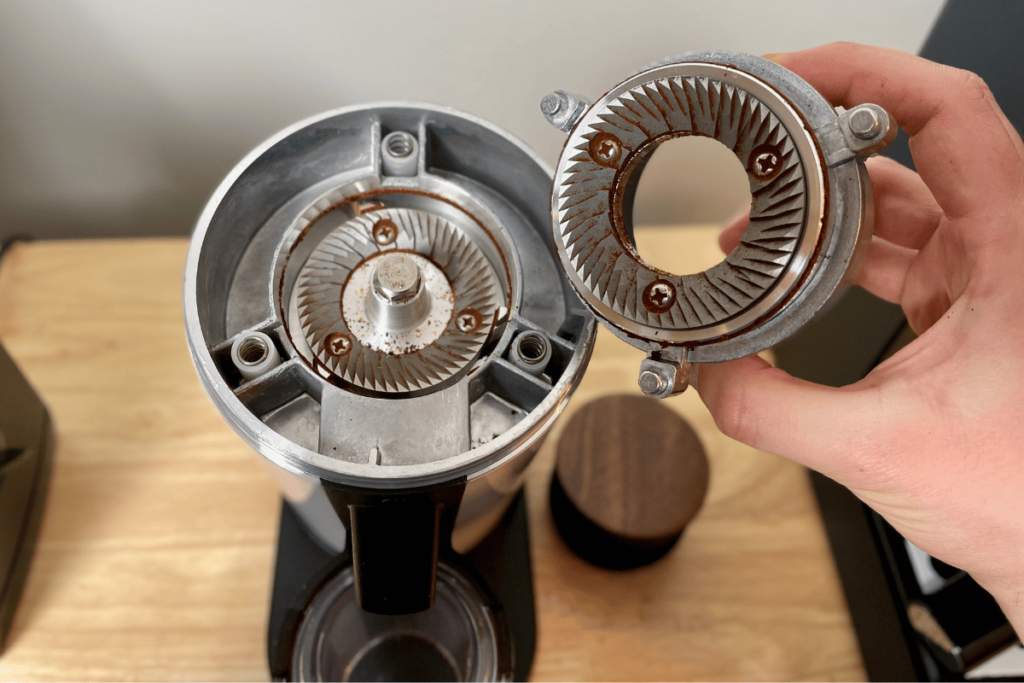
- Chaff Accumulation: The papery skin of the coffee bean, known as chaff, detaches during grinding. This lightweight material can accumulate in the grinding chamber and around the burrs, obstructing the mechanism.
- Coffee Oil Residue: Coffee beans contain natural oils. Over time, these oils become rancid and sticky, coating the burrs, grinding chamber, and chute. This sticky residue attracts and traps more chaff and fine coffee particles.
This combination of chaff and rancid oil creates a gunky buildup that significantly impacts your grinder's efficiency. The burrs become less effective, the motor has to work harder to push beans through the clogged mechanism, leading to increased strain and overheating. Not only does this degrade performance, but it also imparts stale, bitter flavors to your fresh coffee.
Lack of Regular Cleaning: The Grinder's Downfall
Unlike wiping down a countertop, cleaning a coffee grinder often gets forgotten. Yet, it's one of the most vital maintenance tasks. The consequences of neglecting regular cleaning include:
- Reduced Grind Consistency: Clogged burrs cannot produce an even grind, leading to poor coffee extraction.
- Increased Motor Strain: As mentioned, the motor works harder against blockages, leading to premature wear.
- Component Damage: In severe cases, hardened buildup can prevent burrs from spinning freely or cause plastic components to crack under pressure.
- Hygiene Issues: Rancid coffee oils can harbor bacteria, impacting both taste and potentially health.
Ignoring Warning Signs: Your Grinder is Talking to You
Many grinders don't just "suddenly" break; they often give subtle clues that something is amiss. In the hustle and bustle of American mornings, these signals are easily missed:
- Strange Noises: A grinding noise that sounds different – louder, higher-pitched, or rattling – could indicate loose burrs, foreign objects, or a struggling motor.
- Slower Grinding: If your grinder takes noticeably longer to process the same amount of beans, it's a sign of motor fatigue or clogged burrs.
- Inconsistent Grind: A sudden change in grind consistency, especially more "fines" (very tiny particles) or larger chunks than usual, points to worn burrs or blockages.
- Unusual Odors: A burning smell is a definitive sign of an overheating motor and should prompt immediate shutdown and inspection.
Paying attention to these symptoms and addressing them promptly can prevent minor issues from escalating into major, unrepairable damage.

User Error and Accident-Prone Habits
Even the most robust coffee grinder can fall victim to user error. In a country where convenience often takes precedence, minor oversights or a lack of understanding about appliance limitations can significantly shorten a grinder's life.
Grinding Hard Foreign Objects: A Costly Mistake
This is perhaps one of the most catastrophic user errors. While modern processing generally removes most foreign objects from coffee beans, it's not foolproof. Occasionally, a small pebble, a metal staple, or even a hard unroasted bean (if mixed in) can make its way into your grinder.
- Blade Grinders: A hard object can bend or chip the blades, damage the motor, or even crack the grinding chamber.
- Burr Grinders: Even more susceptible, a hard foreign object can severely chip, crack, or misalign the precision-ground burrs. Since burrs are designed to grind coffee, not rocks or metal, encountering such an object can render the grinding mechanism useless and is often an expensive repair, if not a reason to replace the entire unit.
Always visually inspect your coffee beans, especially if you're buying from bulk bins, before pouring them into the hopper.
Overfilling the Hopper: Stress from the Start
It's tempting to fill your grinder's hopper to the brim, especially if you're preparing coffee for a large family or planning multiple batches throughout the day. However, overfilling can cause immediate problems:
- Motor Strain: An overflowing hopper puts immediate, excessive pressure on the burrs and motor as soon as it starts. The motor has to work harder from the first second to force beans into the grinding mechanism, increasing strain and heat.
- Jams and Clogs: Too many beans can jam the burrs or the bean chute, leading to blockages that stall the motor or cause inconsistent grinding.
Always respect your grinder's maximum fill line. It's there for a reason.
Forcing the Grinder: When Patience Pays Off
When a grinder struggles, whether due to a clog, an overly fine setting, or an excessive amount of beans, some users might try to "help" it by pushing beans down or attempting to force the motor. This is rarely a good idea:
- Damage to Components: Forcing the grinder can strip plastic gears, bend metal components, or overstress the motor beyond its limits.
- Safety Risk: Sticking your hand or an object into a running or jammed grinder is extremely dangerous and can lead to serious injury. Always unplug the grinder before attempting to clear a jam.
If your grinder is struggling, stop, unplug it, and investigate the cause. Patience and proper troubleshooting can save your appliance and prevent injury.

Practical Steps to Extend Your Grinder's Lifespan
For any American coffee lover, getting the most out of your coffee grinder is a smart investment in both your wallet and your daily brew. A little proactive care and thoughtful usage can significantly extend its working life.
1. Choose Wisely: Invest in a Quality Burr Grinder
If you're in the market for a new grinder, this is your first and most impactful step:
- Opt for a Burr Grinder: They provide superior grind consistency and are inherently more durable than blade grinders because they're designed for actual grinding, not chopping.
- Research Brands and Materials: Look for grinders with sturdy metal burrs (stainless steel or ceramic) and robust construction, ideally with metal components where possible, especially in the motor housing or gear assembly. While often pricier upfront, the longevity and performance justify the investment.
- Read Reviews: Check reviews from trusted American sources or fellow coffee enthusiasts to gauge real-world durability and common complaints.
2. Clean Regularly: The Most Crucial Maintenance Task
This cannot be stressed enough. Regular cleaning is the single best way to prevent buildup and strain:
- Daily Wipe-Down: After each use, wipe down the hopper and grind chamber with a dry cloth or brush to remove loose chaff and grounds.
- Weekly Deep Clean (Moderate Use):
- Unplug the grinder.
- Disassemble removable parts (hopper, upper burr, grind container).
- Use a stiff brush (often included with the grinder, or a dedicated coffee grinder brush) to thoroughly brush away all grounds and chaff from the burrs, grinding chamber, and chute.
- Use a dry cloth or paper towel to wipe away any oily residue. Avoid water unless the parts are explicitly labeled as dishwasher safe and completely dry them before reassembly.
- Consider using dedicated grinder cleaning tablets (like Grindz) every 1-2 weeks. These food-safe tablets are ground like coffee beans, absorbing oils and dislodging old coffee particles. Follow the product instructions carefully.
- Monthly Intensive Clean (Heavy Use): If you use your grinder multiple times a day, consider a more intensive clean once a month, potentially using compressed air (held at a safe distance) to clear stubborn particles in hard-to-reach areas, always with the grinder unplugged.
3. Grind in Batches: Prevent Overheating
Don't push your grinder to its limits.
- Grind Only What You Need: Only put the amount of beans you need for your immediate brew into the hopper. This keeps unused beans fresher and reduces the workload.
- Take Breaks: If you need to grind a large quantity, do it in smaller batches. Grind for 30-60 seconds, then let the grinder rest for a minute or two to allow the motor to cool down before grinding the next batch. This prevents overheating and preserves motor life.
- Avoid the Finest Setting Unnecessarily: If your brew method (like French press) calls for a coarse grind, don't use a fine setting. This reduces motor strain.
4. Use Quality Beans and Inspect Them
The quality of your beans impacts your grinder's performance:
- Avoid Excessively Hard Beans: While a personal preference, some very light roasts can be extremely dense and harder on burrs.
- Inspect Before Grinding: Before pouring beans into the hopper, quickly scan them for any foreign objects like small stones, metal fragments, or extremely hard unroasted beans. A quick visual check can save you an expensive repair.
- Keep Beans Dry: Ensure your beans are stored in a cool, dry place and are free of any moisture, which can cause clumping and strain.
5. Read the Manual: Understand Your Specific Model
Every coffee grinder is different. The user manual provided with your grinder contains specific instructions for operation, cleaning, and maintenance tailored to your model. Many Americans toss these manuals, but they contain vital information regarding:
- Maximum fill lines.
- Recommended cleaning procedures.
- Specific warnings or limitations.
- Troubleshooting steps.
Following these manufacturer guidelines is essential for optimal performance and longevity.

Key Takeaways
- Blade grinders are inherently less durable and provide inconsistent results compared to burr grinders.
- Cheaper models often use inferior materials (plastic gears, weaker motors) that lead to early failure.
- Overheating due to continuous grinding or grinding too fine is a major cause of motor burnout.
- Neglecting regular cleaning allows sticky coffee oils and chaff to build up, straining the motor and degrading performance.
- User errors like grinding foreign objects, overfilling, or forcing the grinder can cause immediate and severe damage.
- Proactive maintenance, including regular cleaning, grinding in batches, and choosing a quality burr grinder, is crucial for extending lifespan.
FAQs
Can I put rice in my coffee grinder to clean it?
Many American coffee enthusiasts debate this. While some advocate for grinding a small amount of uncooked rice to absorb oils and dislodge old grounds, manufacturers often advise against it. Rice is harder than coffee beans and can dull burrs or put undue strain on the motor, especially in weaker grinders. It's generally safer and more effective to use a stiff brush for dry cleaning and dedicated grinder cleaning tablets for oil absorption.
How often should I clean my coffee grinder?
For average daily use in an American household (1-2 brews per day), a light brush-out after each use and a thorough deep clean (brushing all accessible parts and possibly using grinder cleaning tablets) once a week is a good practice. If you use your grinder multiple times a day or grind oily dark roasts, consider deep cleaning twice a week or more often.
What's the best type of coffee grinder for durability?
For durability and grind consistency, a burr grinder is always recommended over a blade grinder. Among burr grinders, models with conical burrs (often made of steel or ceramic) are generally considered very durable. Look for models with robust construction, powerful motors, and reputable brand names.
Can I grind spices in my coffee grinder?
It's generally not recommended to grind spices in your primary coffee grinder. Spices can leave strong odors and oily residues that are extremely difficult to remove completely, potentially tainting the flavor of your coffee. Additionally, very hard spices can damage the burrs or blades. If you must grind spices, consider purchasing a separate, inexpensive blade grinder dedicated solely to spices.
My grinder smells like it's burning, what should I do?
If you notice a burning smell, immediately unplug the grinder and stop using it. This is a clear sign that the motor is overheating or experiencing an electrical issue. Allow it to cool down completely, then thoroughly clean out any coffee grounds or blockages. If the smell persists after cleaning and cooling, or if you see smoke or sparks, do not use it again and consider having it inspected by a professional or replacing it.
Conclusion
Understanding why coffee grinders sometimes seem to break easily isn't about blaming the appliance, but rather recognizing the delicate balance between design, usage, and maintenance. For many across the US, a good coffee grinder is a cornerstone of their morning, and by being mindful of its limitations, cleaning it regularly, and using it as intended, you can significantly extend its life. This not only saves you money but ensures you continue to enjoy that perfect cup of freshly ground coffee, day after day.